
Key Takeaways
- Online booking reduces no-shows, removes phone tag, and lets clients book outside business hours — the setup investment pays back in the first week.
- The right order: define your services → set availability → write your cancellation policy → require payment → add intake forms → build the booking page → set reminders.
- Payment at booking is the single most important step — it reduces no-shows by up to 80% compared to invoice-after billing.
- A booking page is not the same as a booking link. A page shows your bio, services, and pricing. A link just drops clients into a calendar.
- Full setup takes 2–4 hours. Most therapists who delay it spend far more time per week on manual scheduling and chasing payments.
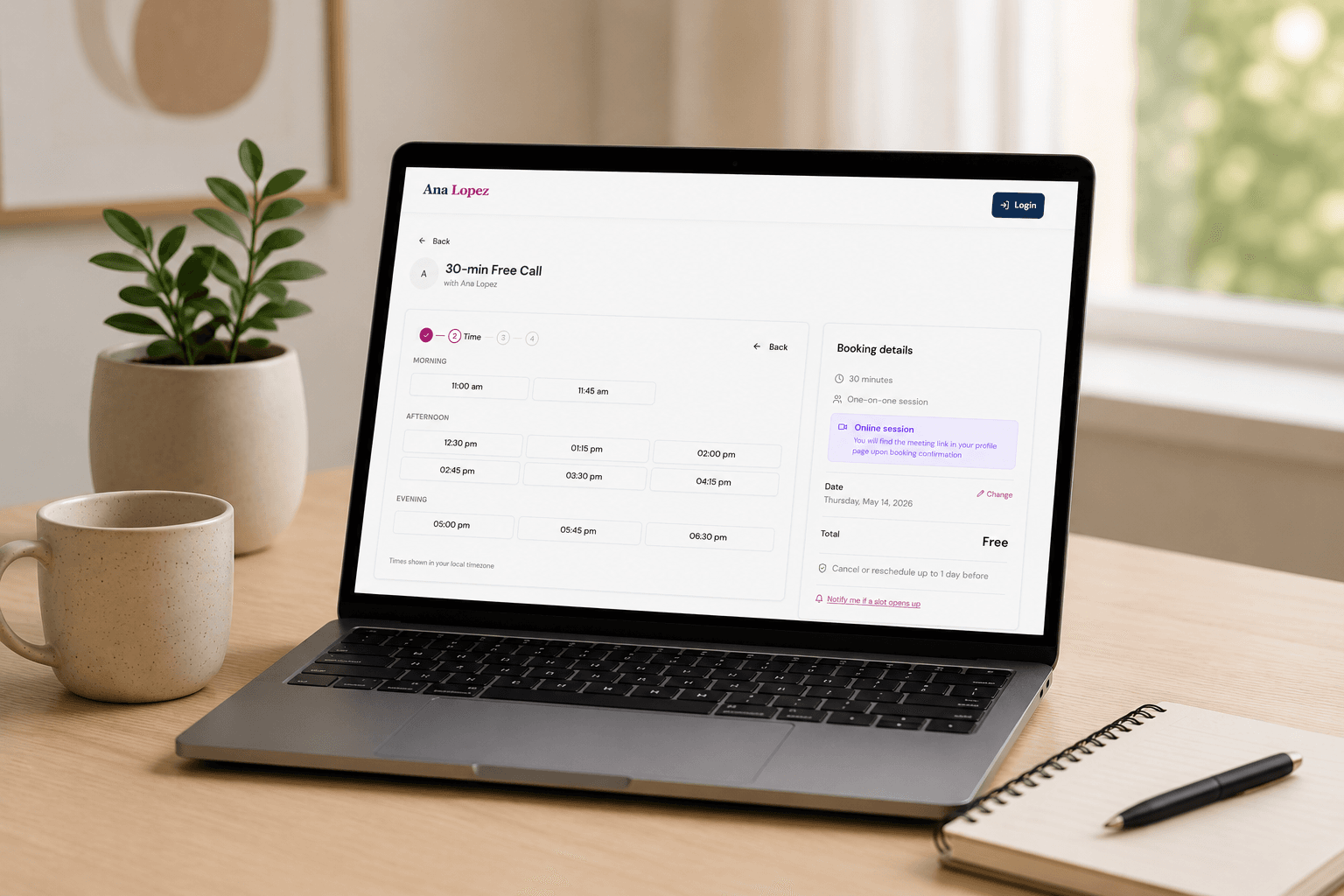
In this article
Most therapists set up online booking the same way: they sign up for a scheduling tool, connect their calendar, share the link, and move on. It takes twenty minutes and it solves the immediate problem — clients can book without emailing back and forth. Then a few months in, a client no-shows and there's nothing to enforce. Or someone books and you have no information about them before the session. Or you realise your booking page looks generic and tells a prospective client nothing about why they should choose you.
Online booking for therapists is more than a calendar link. Done properly, it handles intake, payment, cancellation policy, and your professional presentation — all before a client ever sits down with you. If you're unsure whether a scheduling tool like Calendly is enough or whether you need something purpose-built, our comparison of therapist software vs Calendly covers that question directly. Here's how to set up the booking side correctly.
Step 1: Map your service types before you touch any software
Before configuring anything, write down every type of session you offer: individual therapy, couples sessions, free discovery calls, supervision, group programs. Each one has different duration, pricing, availability, and intake requirements. Setting these up properly from the start is much easier than retrofitting them later.
For each service, decide:
- Duration (45 min, 50 min, 90 min)
- Price — and whether payment is collected at booking or invoiced after
- Whether a deposit is required, and how much
- Which calendar slots it can use (some therapists keep certain days for specific session types)
- Whether it needs an intake form — and if so, what questions
This takes thirty minutes on paper and saves hours of reconfiguration later.
Step 2: Set your availability — and protect it
Connecting your calendar to a booking system shows your free slots, but "available in my calendar" and "available for client sessions" are not the same thing. Most therapists have administrative time, supervision, continuing education, and buffer time between sessions that shouldn't be bookable.
Set your session availability as a distinct schedule — specific days and windows — rather than "everything not blocked in my calendar." This means a client booking at 11pm on a Tuesday can only see your actual session slots, not the gap between your morning admin block and a personal appointment. It also means you control the cadence: if you need fifteen minutes between sessions to reset, that's built in, not something you manage manually.
Also set a minimum booking notice — typically 24 or 48 hours. Without this, a client can book a session starting in two hours, and you have no time to review their intake form, prepare, or even know the session is happening.
Step 3: Write your cancellation policy — and put it in the booking flow
This is the step most therapists skip or defer, and it's the one that costs the most over time. A cancellation policy has no value if clients don't know about it before they book — and most therapists tell clients about it at the end of the first session, when the relationship has already started and enforcing it feels awkward.
The right place for your cancellation policy is the booking confirmation, not a conversation. Clients should agree to it as part of completing the booking — the same way you agree to an airline's cancellation terms when you buy a ticket. When it's baked into the booking flow, enforcement stops being personal. The policy is just what your system does.
A standard private practice policy: cancellations with less than 24 hours' notice — or no-shows — are charged at the full session rate. Cancellations with 24–48 hours' notice may be charged at 50%, depending on your preference. The specific terms matter less than having them written down, communicated upfront, and applied consistently. For a full guide on writing, communicating, and enforcing a policy — including how to introduce it to existing clients — see our post on how to set a no-show policy for your therapy practice.
Step 4: Require payment (or a deposit) at booking
Payment at the point of booking is the single most effective thing you can do to reduce no-shows. A client who has already paid for a session is far more likely to attend — or to give proper notice if they can't. A client who books for free with no financial commitment has nothing at stake if they don't show up.
You don't have to require full payment for every session type. A 25–50% deposit at booking is significantly more effective than no deposit. For free discovery calls, a credit card on file with a clear no-show charge achieves the same outcome without charging upfront.
The objection most therapists have — that requiring payment will put clients off — doesn't hold up in practice. Clients who are serious about therapy expect professionalism. Clients who object to a deposit at booking are often the same clients who become chronic late cancellers. The deposit is a filter as much as it is a revenue protection measure.
Step 5: Set up intake forms for each service type
An intake form collected before the first session does two things: it prepares you to be genuinely useful in that first meeting, and it signals to the client that your practice is organised and that you take their situation seriously.
Different service types need different forms. A new individual therapy intake form is different from a couples intake form, which is different from a supervision request form. Keep each one focused — five to ten questions maximum. The goal is to know what someone is working on and whether your practice is the right fit, not to conduct an assessment before the session.
The intake form should be collected automatically as part of the booking flow — not sent manually as a separate email after someone books, which adds friction and results in forms arriving the morning of the session, or not at all. When it's part of booking, completion rates are significantly higher.
Step 6: Build a booking page, not just a booking link
The page a prospective client lands on when they click your booking link is forming an impression. A generic scheduling widget — your name, a list of session types, a calendar — doesn't tell them who you are, what you specialise in, what it's like to work with you, or why they should trust you with something as significant as their mental health.
Your booking page should include, at minimum:
- A short bio — your approach, your background, who you typically work with
- Your service types with clear descriptions and pricing
- Two or three testimonials or statements from past clients (where ethically appropriate)
- An FAQ that answers the questions clients ask before booking: session length, how video sessions work, what to expect in the first session
This is not a website redesign project — it's a few hundred words and a photo. But the difference between landing on a page that tells you nothing and landing on a page that answers your questions and makes you feel like the right fit is the difference between booking and leaving.
Step 7: Set up automated reminders
Reminder emails are not optional. A client who booked three weeks ago and receives no communication until the day before the session is far more likely to no-show than one who received a confirmation immediately, a reminder at 48 hours, and a reminder at 24 hours — each with a one-click reschedule link.
The reminder sequence that works best in private practice: a confirmation immediately after booking, a reminder at 48 hours with a reschedule link, and a reminder at 24 hours with the session details and any preparation instructions. The 24-hour reminder is the most important one — it's close enough that the session feels real and far enough out to reschedule if needed.
Every reminder should include the reschedule link. The easier it is to reschedule, the more clients will use it instead of simply not showing up.
How long does this actually take?
If you do it in one sitting: two to three hours. That includes writing your service descriptions, drafting your cancellation policy, setting up your availability schedule, writing the intake form, and filling in your booking page bio and FAQ.
The parts that take the longest are the ones that require thinking, not clicking: deciding your cancellation policy, writing your bio, and writing the intake questions. The actual configuration — connecting your calendar, entering prices, turning on reminders — takes thirty minutes once you know what you want.
Most therapists who defer this setup are deferring the thinking, not the clicking. If you write your cancellation policy and your intake questions on paper first, the configuration takes an afternoon.
Online booking for therapists: choosing the right platform
Online booking for therapists works best when all of these pieces live in one system — not a scheduling tool for booking, a separate form tool for intake, a separate payment processor, and a separate reminder sequence. Every handoff between systems is a potential failure point and something you have to maintain.
What to look for: a platform that handles availability, payment at booking, intake forms attached to specific service types, cancellation policy enforcement, automated reminders with reschedule links, and a proper booking page — not just a calendar widget. Therapist software built for private practice covers all of this natively, without integrations to configure or maintain.
Merkora was built specifically for therapists and coaches in private practice. If you're setting up your online booking — or rebuilding what you already have — you can have the full setup live in an afternoon.
Setup checklist
- ✓ Service types mapped with duration, price, deposit, and availability
- ✓ Availability schedule set — distinct from personal calendar blocks
- ✓ Minimum booking notice configured (24 or 48 hours)
- ✓ Cancellation policy written and embedded in the booking flow
- ✓ Payment or deposit required at the point of booking
- ✓ Intake forms attached to each service type
- ✓ Booking page includes bio, service descriptions, and FAQ
- ✓ Automated reminders at 48h and 24h with reschedule links
Frequently asked questions
How do I set up online booking for my therapy practice?
Choose a booking platform, define your session types and pricing, set your availability, write and enable your cancellation policy, require payment or a card at booking, add intake forms, and publish your booking page. The full setup takes 2–4 hours.
Should therapists require payment at booking or invoice after sessions?
Payment at booking is strongly recommended. It eliminates payment chasing, naturally enforces your cancellation policy, and reduces no-shows significantly. Invoice-after models create unnecessary administrative work and give clients less incentive to show up.
What information should a therapist collect at booking?
At minimum: name, contact details, reason for seeking therapy (broad), and agreement to your cancellation policy. More detailed intake forms — presenting concerns, history, goals — are better sent separately before the first session so clients have time to complete them thoughtfully.
How long does it take to set up online booking for a therapy practice?
With the right platform, 2–4 hours. This includes creating your service types, setting availability, writing your cancellation policy, enabling payment, and building your booking page. Merkora is set up in an afternoon.