Key Takeaways
- Most coaches use coaching software as a synonym for 'booking tool' — it's actually much more than that.
- The features that matter: cancellation enforcement, session credit system, intake forms, courses, and a public practice page — all in one place.
- Most tools handle one or two of these well. The gap is always in the combination.
- The question to ask any platform: does booking, payment, cancellation enforcement, and course delivery work from a single client-facing page?
- If the answer requires stitching three tools together, it's not really one platform.
In this article
Most coaches start with Calendly. Then they add Teachable for courses. Then Gumroad for digital products. Then Linktree so clients have somewhere to find everything. Before long, they're paying for four tools, logging into four dashboards, and none of them know about each other.
The fragmentation is expensive — $60–80 per month for a stack that still doesn't feel complete — but the bigger cost is invisible. Clients bounce between platforms. Sessions live in one place, courses in another, digital products somewhere else. There's no single place that represents your practice.
Online coaching software is supposed to solve this. But not all of it does. Here's how to choose the right one.
What online coaching software actually means
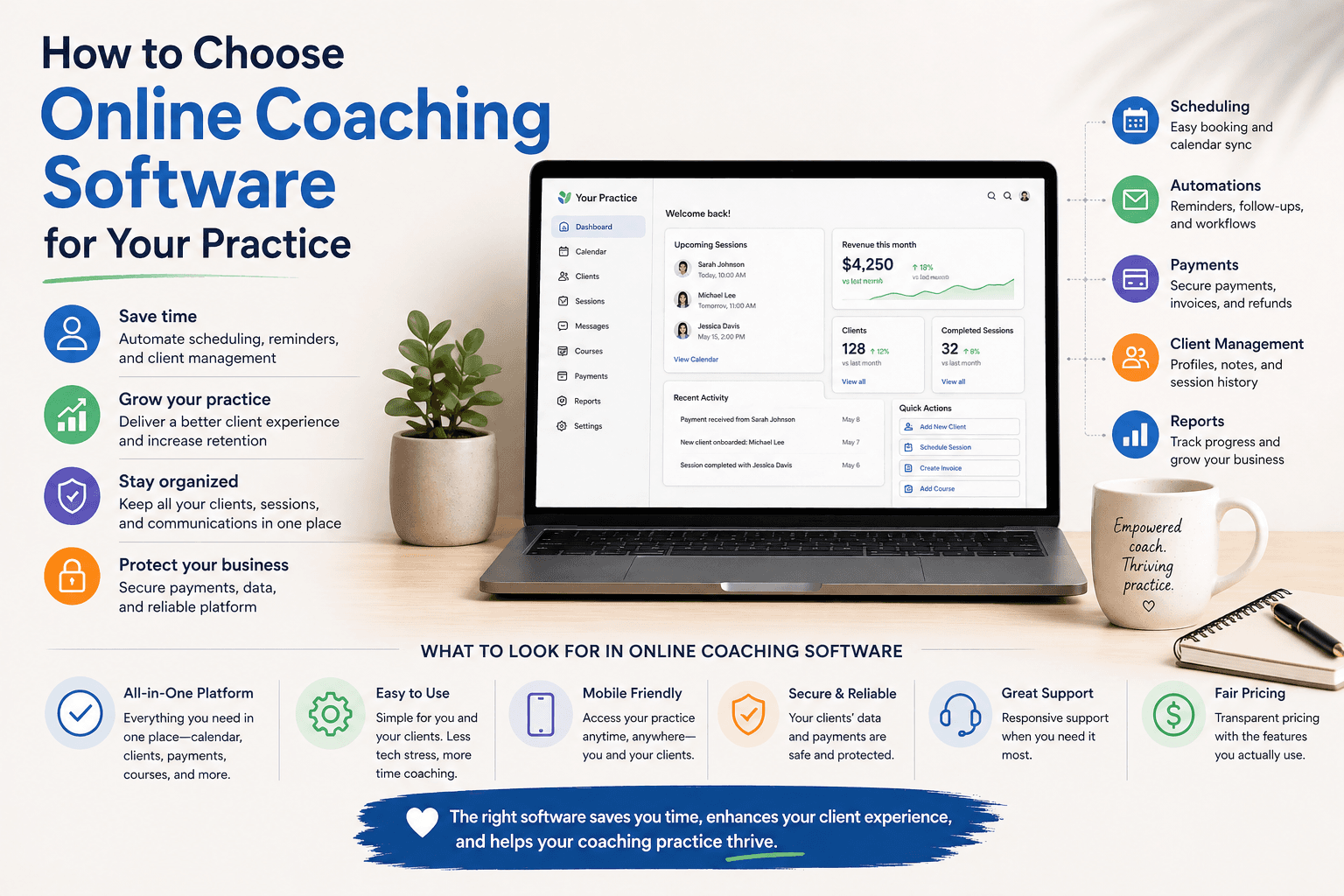
Online coaching software is a platform that lets coaches and practitioners run their entire practice from one place — bookings, client management, content delivery, and payments. The key word is entire. A scheduling tool is not online coaching software. A course platform is not online coaching software. Software that earns that name should handle all of it.
If you find yourself saying "I use X for bookings and Y for courses and Z for payments," you don't have online coaching software. You have a stack — and stacks require maintenance.
What to look for: the real checklist
1. A professional practice page, not just a booking link
Your booking experience is a first impression. A link that drops clients into a generic calendar widget — no branding, no context, no sense of who you are — tells them nothing about why they should trust you with their time or their problems.
Look for a customizable page that shows your bio, your services, testimonials, and availability in one place. The booking should feel like part of your brand — not a detour into someone else's product. Think of it as your full online presence, not just a scheduling tool.
2. Cancellation policy and deposits built in
This is non-negotiable. No-shows are one of the biggest operational problems coaches face, and the only reliable prevention is a financial commitment at the time of booking. Sending a reminder email is not enough.
Look for: configurable cancellation windows (24h, 48h), deposit or full pre-payment options, and automatic enforcement — no manual follow-up, no awkward conversations. If the software doesn't support this natively, it wasn't built for professional practice management. (We've written a full guide on how to avoid no-shows as a coach or therapist if you want to go deeper on this.)
3. A credit system for late cancellations
Late cancellations happen. What matters is how the software handles them. Cash refunds create a perverse incentive — clients learn they can cancel without real consequence. Credits keep the value inside your practice and make the conversation easier: "I'll convert this to a credit you can use anytime" is not a confrontation.
Look for the ability to convert a cancelled session fee into a practice credit automatically, without a manual process on your end.
4. Intake forms before the session
The best practitioners arrive prepared. Intake forms — attached to specific service types, filled out before the first session — let you understand what a client is working on before you get on the call. They also signal to clients that your practice is organized and professional.
Look for: questionnaire forms tied to specific offerings, responses visible to you before the session, and no requirement to use a separate form tool like Typeform.
5. Waitlists with automatic slot recovery
When a client cancels, there's usually someone else who wanted that slot. Without a waitlist system, that opening goes to whoever happened to check your calendar at the right moment.
Look for per-service waitlists with automatic notification — and ideally automatic booking — when a slot opens. This alone can significantly reduce lost revenue from cancellations.
6. Built-in video sessions and session recording
Video calls are the medium of modern coaching. Most practitioners use Zoom — a separate subscription, a separate login, links sent manually, recordings stored somewhere else entirely. That's friction for both you and your client.
Look for integrated video sessions where the call link is generated automatically, recordings are stored inside the platform, and clients can access recordings directly from their client area if you choose to share them. The session should live in your practice — not in a Zoom folder you'll forget to organize.
7. Courses and live programs
A practice built entirely on 1-on-1 sessions has a revenue ceiling. Online coaching software should let you package your expertise into courses or live group programs without switching platforms.
Look for: a course builder with video lessons, module structure, and progress tracking. If the platform also handles live group sessions connected to the same infrastructure, that's a meaningful advantage — no Zoom links to manage, no separate recordings to upload.
8. Digital products and lead magnets
Not every offer needs to be a course. Guides, workbooks, templates, and free lead magnets serve different parts of your audience and take hours to create rather than weeks. Your platform should support them without a separate Gumroad account.
Look for: digital product delivery with payment handling, and the ability to offer free downloads in exchange for an email — so your lead magnets actually build your list.
9. A unified practice page, not a link in bio
Your public URL is often the first thing a potential client sees. It should show everything — who you are, what you offer, how to book, what others say about you, and your content if you have it. A booking link is a tool. A practice page is a presence.
Look for a single URL that serves as your professional home: bio, services, testimonials, lead magnets, courses, and booking, all in one designed page. Not a Linktree. Not a Calendly embed. A page that looks like you built it for your practice — because you did.
The question most coaches forget to ask
Before choosing a platform, ask: what happens to my client after they book?
With most scheduling tools, the answer is: they get a calendar invite. That's it. The relationship lives in your email and your personal notes.
With the right online coaching software, the client enters a dedicated space — their bookings, session history, recordings, courses they've enrolled in, and any materials you've shared — all in one place. That's not just better user experience. It's a more professional practice.
What most tools miss
The most common gap: tools that are excellent at one thing — scheduling, or courses, or digital products — but require another tool for everything else. The integration tax is invisible until you're living inside it: Zapier automations, manually syncing data, troubleshooting when something breaks between platforms.
The second most common gap: tools built for content creators, not practitioners. Booking flows designed for selling digital products don't have cancellation policies. Course platforms don't have session management or credit systems. Link-in-bio tools don't have intake forms. A platform built for an influencer audience will always feel like a compromise for someone running a real client practice.
What you're actually looking for
A platform built specifically for coaching and therapy practices — one that understands the difference between a subscriber and a client, between a download and a session, between a follower and someone who showed up and trusted you with their problem.
That platform should handle your booking page, your cancellation policy, your credits, your intake forms, your waitlists, your live sessions, your recordings, your courses, your digital products, and your public presence — without a single integration to set up. That's what coaching software built specifically for practitioners looks like.
Merkora was built for exactly this. If you're setting up your online practice and want everything in one place, you can start for free — no credit card required.
Frequently asked questions
What is online coaching software?
Online coaching software is a platform that handles the operational side of a coaching practice — session booking, payment, cancellation policies, client history, and often course delivery. It's more than a scheduling tool: it should manage the full client relationship from first booking to session history.
What features should coaching software have?
The essential features are: session booking with payment at the time of booking, cancellation policy with automatic enforcement, session credit packages, intake forms, and a public practice page clients can find. Course hosting is valuable if you sell digital content alongside sessions.
Is Calendly good enough for coaches?
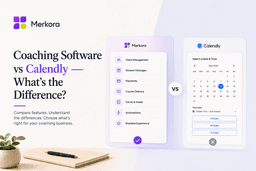
Calendly handles scheduling well, but it doesn't have automatic cancellation enforcement, session credit packages, course hosting, or a public practice profile. Most coaches outgrow it quickly once they're managing more than a simple booking link.
What is the best all-in-one coaching software?
It depends on your offer. Kajabi is best if courses are your primary revenue and you have the $149+/month budget. Merkora is best if you run sessions alongside courses and want cancellation enforcement and credit packages built in.