Key Takeaways
- A coaching CRM is a client history, not a sales pipeline — the useful record is what someone has bought, booked, and completed.
- General CRMs like HubSpot and Pipedrive are built around deals and stages, which maps badly onto a practice with 20 long-term clients.
- The most valuable field in a coaching CRM is the one most tools don't have: sessions remaining in a package.
- If your bookings, payments, and courses live in different tools, a CRM becomes a fourth place to keep the same data current by hand.
- Under about 15 active clients, a spreadsheet genuinely works. The break point is when you can't answer "what has this client bought?" without opening two tabs.
In this article
Search for a coaching CRM and you'll get a list of sales tools with a coaching page bolted onto their marketing site. Deals, pipelines, lead scores, email sequences — all built for a team chasing new business, not for one person managing twenty ongoing relationships.
The mismatch is worth naming, because it explains why so many coaches try a CRM, use it for six weeks, and go back to a spreadsheet.
What is a coaching CRM?
In practice, it's a client history rather than a sales system. The question a coach needs answered before a session isn't "what stage is this deal at?" — it's "what have we done, what did they buy, and how many sessions are left?"
A coaching CRM's job is to make the last two years of a relationship visible in ten seconds. Everything else in a standard CRM feature list is aimed at a different problem.
Why do general CRMs fail for coaches?
Three structural reasons:
- The data model is wrong. A deal closes once. A coaching relationship renews, pauses, and resumes across years — it doesn't fit into a pipeline stage.
- Nothing populates itself. A general CRM doesn't know about your bookings or payments, so every session and purchase is manual entry. Records go stale within a month.
- The volume doesn't justify the overhead. CRMs earn their complexity at hundreds of contacts. At twenty active clients, the admin exceeds the benefit.
The second one is fatal on its own. A client record that requires discipline to stay accurate will be inaccurate, and an inaccurate record is worse than no record because you'll trust it.
The all-purpose workspace tools — Notion, Airtable, a well-built spreadsheet — avoid the pipeline problem by having no opinion at all, which is why so many coaches land there. They're better than a sales CRM for this job. They still depend entirely on you remembering to update them after every session and every payment.
| Option | Good at | Fails at |
|---|---|---|
| Sales CRM | Pipelines, follow-up sequences | Ongoing relationships, session history |
| Notion / spreadsheet | Flexibility, zero cost | Staying current without manual entry |
| Coaching platform | Records that update themselves | Complex multi-stage sales processes |
What belongs in a coaching client record?
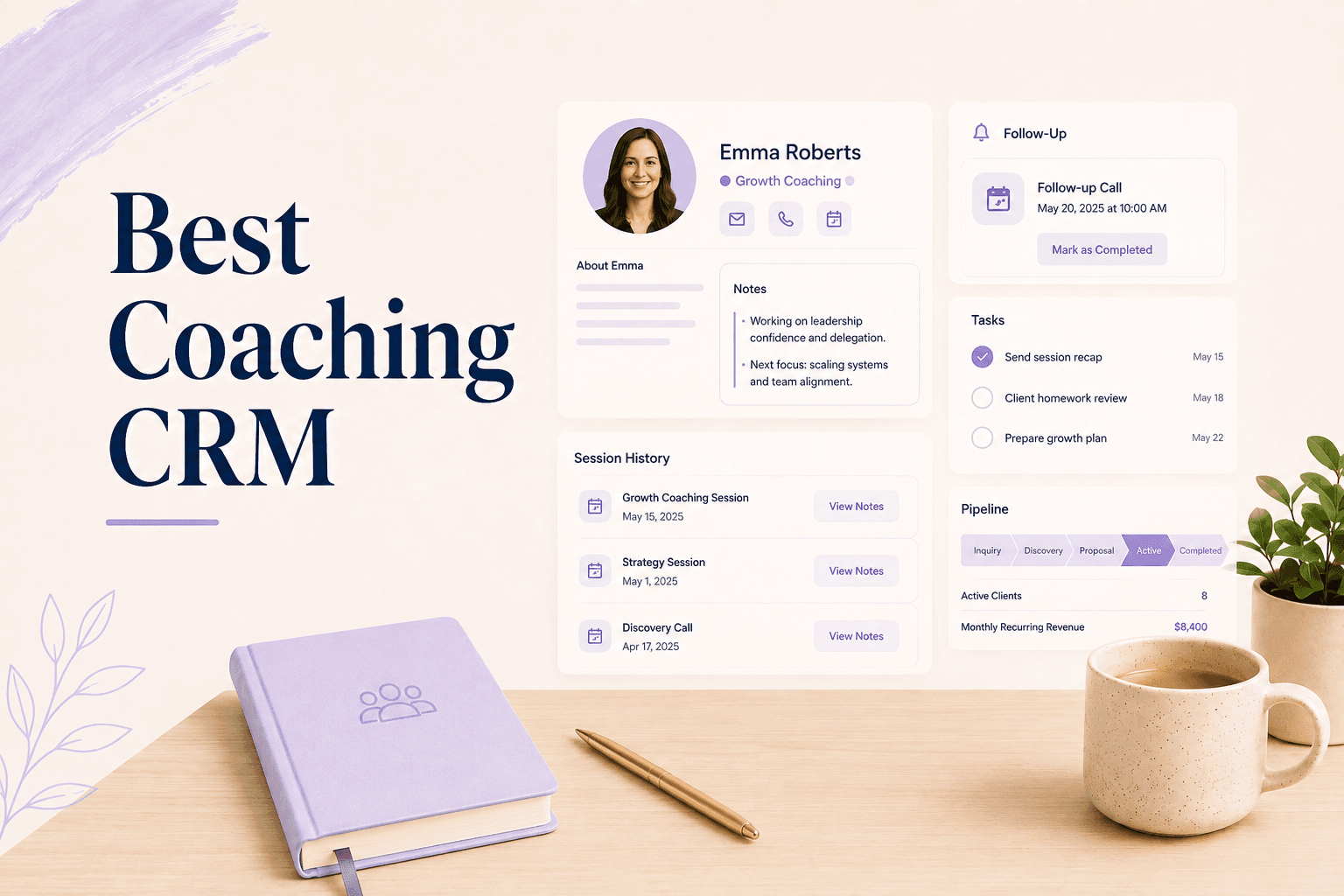
Six things, and most tools cover four of them:
- Contact details and timezone
- Session history — every booking, with dates and attendance
- Payments and outstanding balance
- Package balance — how many sessions remain
- Course, program, or digital product enrollments
- Intake responses and your private notes
Item six deserves a caveat that coaching software vendors tend to skip: private notes and client-visible content need to be genuinely separate, and you should know which is which without thinking. If there's any ambiguity in the interface about who can see a note, you'll write more cautiously, and cautious notes are useless notes.
Item four is the one almost nothing has, and it's the one you check most often. Item five is the one that breaks when courses live on a separate platform — the reason selling courses and sessions from one place matters operationally, not just commercially.
Do you need a CRM, or a platform that keeps records?
This is the actual decision, and for most solo practices the answer is the second one. A CRM is a place you put information. A platform that runs your bookings and payments already has the information — the client record is a byproduct rather than a task.
Pro tip
A standalone CRM is genuinely right when you have a real pipeline: corporate contracts, multi-stakeholder deals, long sales cycles with follow-up sequences. If you're selling 1:1 packages and a course, it's overhead.
What to look for when comparing options
Five checks that separate a working client record from a contact list:
- Does a completed session appear in the record automatically?
- Can you see remaining package credits on the client's profile?
- Do course enrollments and session bookings appear in one timeline?
- Can you attach private notes that the client never sees?
- Can you export everything if you leave?
Check three is where most stacks fall down. If you're comparing all-in-one options, the all-in-one coaching platform comparison covers which tools genuinely unify these and which just bundle them. It's also worth reading alongside the Paperbell alternatives comparison, since client management is the axis those tools compete on.
When is a spreadsheet still fine?
Longer than the software industry would like you to believe. Under roughly fifteen active clients, with everything booked through one tool and paid through one processor, a spreadsheet is faster to maintain than any CRM and costs nothing.
The break point isn't client count — it's the number of places you check to answer one question. When "how many sessions does Maya have left, and did she finish the course?" requires two tabs and a scroll, the spreadsheet has stopped being the system and started being a copy of it.
Three other signals that you've passed the point: you've double-booked or double-charged someone in the last quarter, a client has had to remind you what they already paid for, or you're spending more than fifteen minutes a week keeping the sheet current. Any one of those is the sheet telling you it's out of range.
Coaching software where the client record is produced by the bookings, payments, and enrollments you're already running removes the maintenance question entirely. Merkora builds the client history from the work itself — sessions, packages, courses, and payments on one profile — so there's no CRM to keep current.
Frequently asked questions
What is the best CRM for coaches?
For most solo coaches, the best option isn't a standalone CRM at all — it's a platform where the client record is generated by the bookings and payments you're already taking. A separate CRM only earns its place when you have a genuine sales pipeline with multiple stages and follow-ups.
Can I use HubSpot or Notion as a coaching CRM?
You can, and plenty of coaches do. The cost is manual entry: neither knows when a session was booked, when a package ran out, or when a course was completed, so the record is only as current as your last update.
What should a coaching client record contain?
Contact details, session history with dates, payments and package balance, course or program enrollments, intake form responses, and your own private notes. If any of those live somewhere else, you have a partial record.
Do I need a CRM if I only have 10 clients?
No. At that scale a spreadsheet is faster and less work than maintaining a CRM. The signal to move is when you regularly can't answer a basic question about a client without checking more than one place.