
Key Takeaways
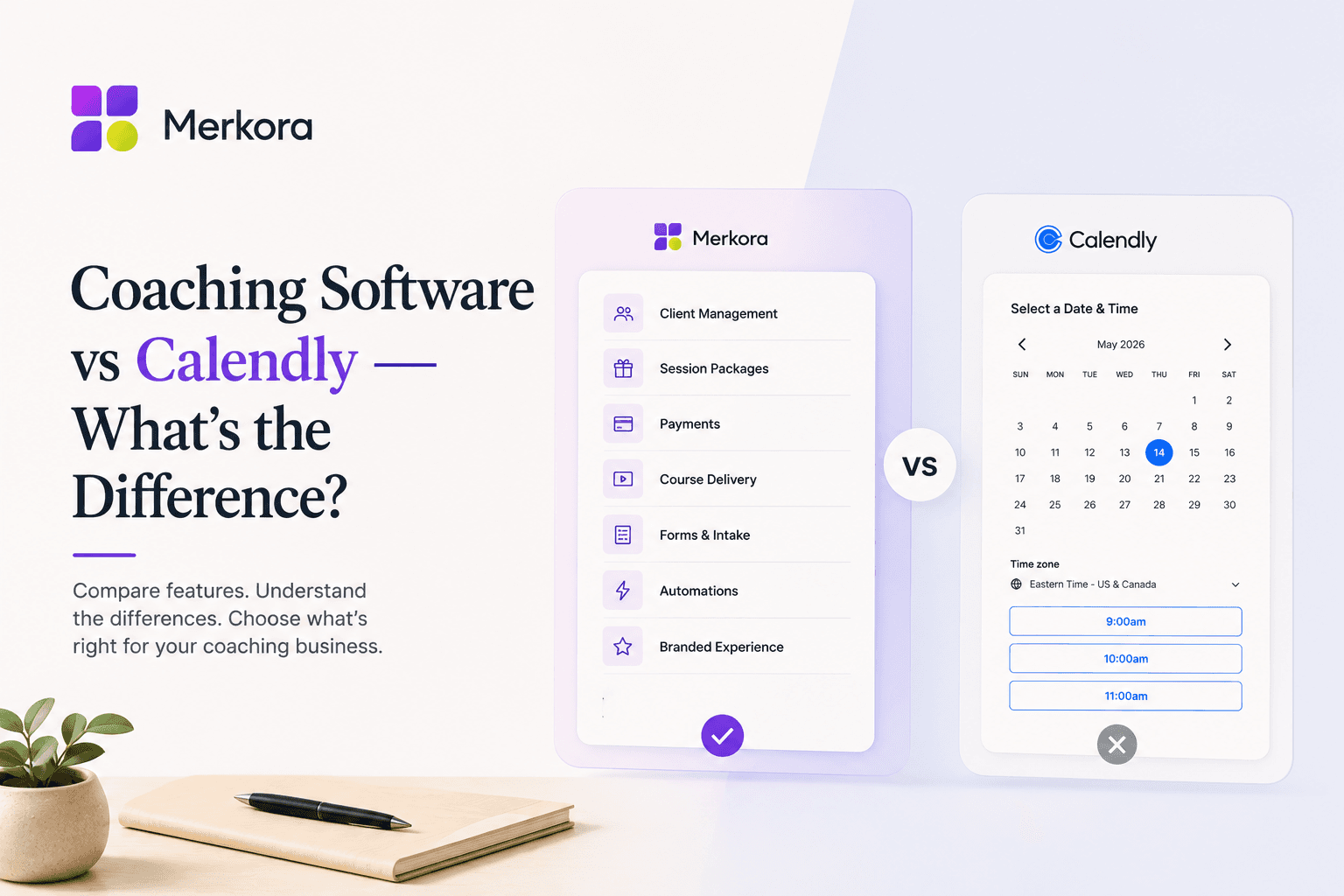
- Calendly is a scheduling tool. Coaching software is practice management — these are fundamentally different products.
- Calendly's gaps for coaches: no automatic cancellation fee, no session credit tracking, no course hosting, no public practice profile.
- The key features coaching software adds: automatic cancellation enforcement, session packages with credit tracking, courses alongside sessions, and a browsable practice page.
- Calendly is the right choice if you only need a scheduling link. It's not the right choice if you're managing packages, courses, or a professional practice presence.
- Most coaches start with Calendly and outgrow it within 6–12 months of building a real practice.
In this article
Most coaches start with Calendly. It's free, it works, and it solves the immediate problem — clients can book without the back-and-forth of email scheduling. For the first few months, that's enough.
Then a client books a package and there's no mechanism to track the remaining sessions. Or you try to enforce a cancellation policy and realise Calendly can tell you someone cancelled but it can't actually do anything about it. Or you build a course and discover it has to live somewhere else entirely, so clients bounce between platforms to find your offerings.
That's the moment when the coaching software vs Calendly comparison becomes concrete. Calendly was built for scheduling meetings. Coaching software was built for running a practice. The gap between those two things is larger than it looks.
What Calendly actually does
Calendly is a scheduling tool. It connects to your calendar, shows your availability, and lets people book time without the back-and-forth. For internal meetings, sales calls, or one-off consultations, it's excellent.
The paid plans add payment collection via Stripe or PayPal, basic reminder emails, and simple question fields attached to a booking form. At higher tiers, you get routing forms, analytics, and team features. It's a well-built, reliable product — for what it was designed to do.
What it was not designed to do: run a coaching practice. A coaching practice has specific operational requirements that general-purpose scheduling software simply wasn't built around.
Where Calendly falls short for coaches
The gaps become visible quickly once you're working with real clients at any volume.
No session packages. Coaching relationships typically involve more than one session. Clients commit to a six-session package, a monthly retainer, or a three-month engagement. Calendly has no concept of packages — every booking is a standalone event. Tracking how many sessions remain on a package, and which clients are on which package, becomes a spreadsheet job.
Cancellation policy enforcement is manual. Calendly lets you set a cancellation window, but enforcing it — charging a late fee, converting a session to a credit, preventing cancellation within 24 hours — requires you to follow up manually. Calendly will notify you that someone cancelled. What you do about it is entirely your problem. For coaches who rely on a cancellation policy to protect their income, this is a significant gap.
No credit system. When a client cancels late or no-shows, the standard best practice is to convert their session fee to a credit rather than issuing a cash refund. This keeps the value inside your practice, makes the conversation easier, and doesn't reward late cancellations with a full refund. Calendly has no native credit system — you're handling this manually, client by client.
No client record. In Calendly, a client exists as a booking, not as a person. There's no place to see a client's history — sessions attended, sessions cancelled, payments made, packages remaining, notes from previous sessions. Each booking is isolated from every other. A client who has worked with you for two years looks identical in Calendly to someone who booked for the first time yesterday.
No professional practice page. Calendly gives you a scheduling page: your name, your event types, a calendar. It doesn't tell a prospective client who you are, what your approach is, what other clients have experienced, or why they should choose you. It's a functional booking link, not a professional presence.
No courses or digital products. Coaches who offer courses, group programs, or digital products alongside their 1:1 work have to manage those on a completely separate platform. Clients navigate between Calendly for booking and Teachable or Gumroad for everything else — a fragmented experience on their end and a management overhead on yours.
What coaching software does differently
Coaching software — purpose-built for private practice — is designed around the client relationship, not the appointment slot.
The difference is in how the system thinks about a client. In Calendly, a client is an email address attached to a booking event. In coaching software, a client is a person with a history: sessions attended and missed, packages purchased and remaining, payments made, courses enrolled in, notes from previous sessions. The booking is one event in a longer relationship.
That structural difference produces a different set of features — and a meaningfully different experience for both coach and client.
The features that matter in a coaching practice
Session packages with automatic tracking
A client who buys a six-session package should have six sessions in their account from the moment of purchase. Each session they attend decrements the count automatically. When they're on their last session, they get a prompt to renew. No spreadsheet, no manual tracking, no asking yourself mid-session "how many does she have left?"
Package management also changes the buying decision. A client who sees a clear, purchasable package on your page — rather than a single-session booking link with an email address to enquire about packages — is more likely to commit upfront. The infrastructure either supports the package model or it doesn't.
Cancellation policy with automatic enforcement
The most important difference for most coaches. In coaching software, you set your cancellation window — 24 hours, 48 hours — and the system enforces it automatically. A client who cancels inside that window is charged the late cancellation fee or has the session deducted from their package. A no-show triggers the same outcome. You don't have to notice, follow up, or have the conversation yourself.
This matters because the conversation is the hardest part. "I'm charging you for the session you didn't attend" is uncomfortable, especially in an ongoing coaching relationship where you're trying to build trust. Automatic enforcement removes that discomfort — the policy is simply what the system does, and clients know it in advance.
A credit system for late cancellations
Late cancellations happen. Cash refunds create the wrong incentive — clients learn they can cancel without real consequence. A credit system converts the session fee into a credit for a future booking instead of returning the money. The value stays in your practice. The client isn't out of pocket. And the conversation is easier: "I've converted this to a credit you can use anytime" is not a confrontation.
We've written more on this in our post on how to avoid no-shows as a coach or therapist — the credit system section covers how this works in practice.
A professional practice page, not a scheduling widget
Your booking page is usually a prospective client's first concrete impression of you. A generic Calendly page — event types, a calendar, your name — doesn't convey expertise, specialisation, or trust. It conveys that you use Calendly.
Coaching software gives you a full practice page: bio, services, packages, testimonials, courses, and availability in one designed place. The experience of landing on a page that clearly explains who you are and what you offer — and then booking directly without leaving — is a different first impression entirely. This is one of the core arguments in our post on running your coaching business from one link.
Courses and digital products on the same page
A coach who offers a six-session package, a self-paced course, and a free lead magnet is essentially running three separate businesses in Calendly — because Calendly handles exactly one of those. The course lives on Teachable. The lead magnet lives on Gumroad or ConvertKit. Each is a separate platform, a separate login, a separate client experience.
When all three live on the same page as your booking system, cross-selling happens naturally. A client who books a single session sees the package option. A visitor who downloads your free guide sees the course. Someone who buys the course sees the 1:1 package. None of this requires a funnel — just a well-organised page.
When Calendly is the right choice
Calendly is genuinely good at what it was designed for, and there are coaching contexts where it's the right call.
If you're just starting out and want to let people book a free discovery call before you've built out a full practice, Calendly is fine. If you're employed in a corporate training or consulting role and just need a way to let internal stakeholders book time with you, Calendly works. If you're doing a handful of sessions per week and handling everything else manually, the limitations are manageable.
The moment you have a real cancellation policy you want enforced, package tracking you need automated, or client history you need to see — Calendly starts to require manual workarounds for things that should be automatic. That's the signal you've outgrown a scheduling tool.
The real cost of using the wrong tool
The cost isn't just in money — though a 15% no-show rate without deposit enforcement on a full coaching schedule can mean $400–700 in lost revenue each month. The larger cost is time and mental load: every package you track manually, every credit you calculate and issue by hand, every prospective client who lands on your generic Calendly page and has no idea what else you offer.
These aren't dramatic failures. They're small inefficiencies that accumulate into a practice that feels harder to run than it should be. The right software doesn't change your coaching — it removes the overhead that shouldn't be yours to manage.
What to look for in coaching software vs Calendly
When evaluating alternatives, these are the questions that actually matter:
- Does it support session packages with automatic tracking — or is that a spreadsheet?
- Does it enforce cancellation policies automatically, or just notify you?
- Does it have a native credit system for late cancellations?
- Does it give you a professional practice page with your bio, services, and testimonials?
- Can you sell courses and digital products on the same page as your bookings?
- Can you see a client's full history — sessions, packages, payments — in one place?
Most scheduling tools handle the first two inadequately and have nothing for the rest. The tools built specifically for coaching practices handle all of it, because they were designed with a different model of what a client relationship actually involves.
If you're evaluating options, coaching software built for private practice — not adapted from a meeting scheduler — covers the full operational picture: packages, booking, cancellation policy, credits, courses, and your professional page, without the manual work that fills the gaps in Calendly. Merkora was built specifically for coaches in private practice. If you're running into the edges of what Calendly can do, it's worth seeing what a platform designed for your context actually looks like.
Frequently asked questions
Is Calendly good enough for a coaching business?
For basic scheduling, yes. For running a coaching practice — managing packages, enforcing cancellation policies, hosting courses, and maintaining client history — no. Calendly handles the booking step but leaves everything else to external tools.
What does coaching software have that Calendly doesn't?
Automatic cancellation fee enforcement, session credit packages that track automatically, course and digital product hosting, client history across all sessions, and a public practice page clients can browse rather than just a booking link.
Can I use Calendly and add coaching features on top?
You can — coaches commonly add Stripe for payment, Teachable for courses, and Notion for client notes. But you end up with four tools, four logins, and no unified client view. The stitching cost in time and inconsistency adds up quickly.
What is the best Calendly alternative for coaches?
It depends on what you need. Acuity is a step up for scheduling with packages. Merkora is the right move if you want booking, cancellation enforcement, credit packages, and courses in one platform.