
Key Takeaways
- Course platforms were built for content creators. Booking tools were built for service businesses. Neither was built for practitioners who do both.
- The split creates client friction: a client who finishes your course and wants to book a 1:1 session gets sent to a different platform with different branding and a different payment flow.
- For the practitioner: two logins, two dashboards, two sets of client data, no unified view of 'what has this client done with me.'
- The only clean solution is a platform built for the combination — where a client can buy a course and book a session from the same page and profile.
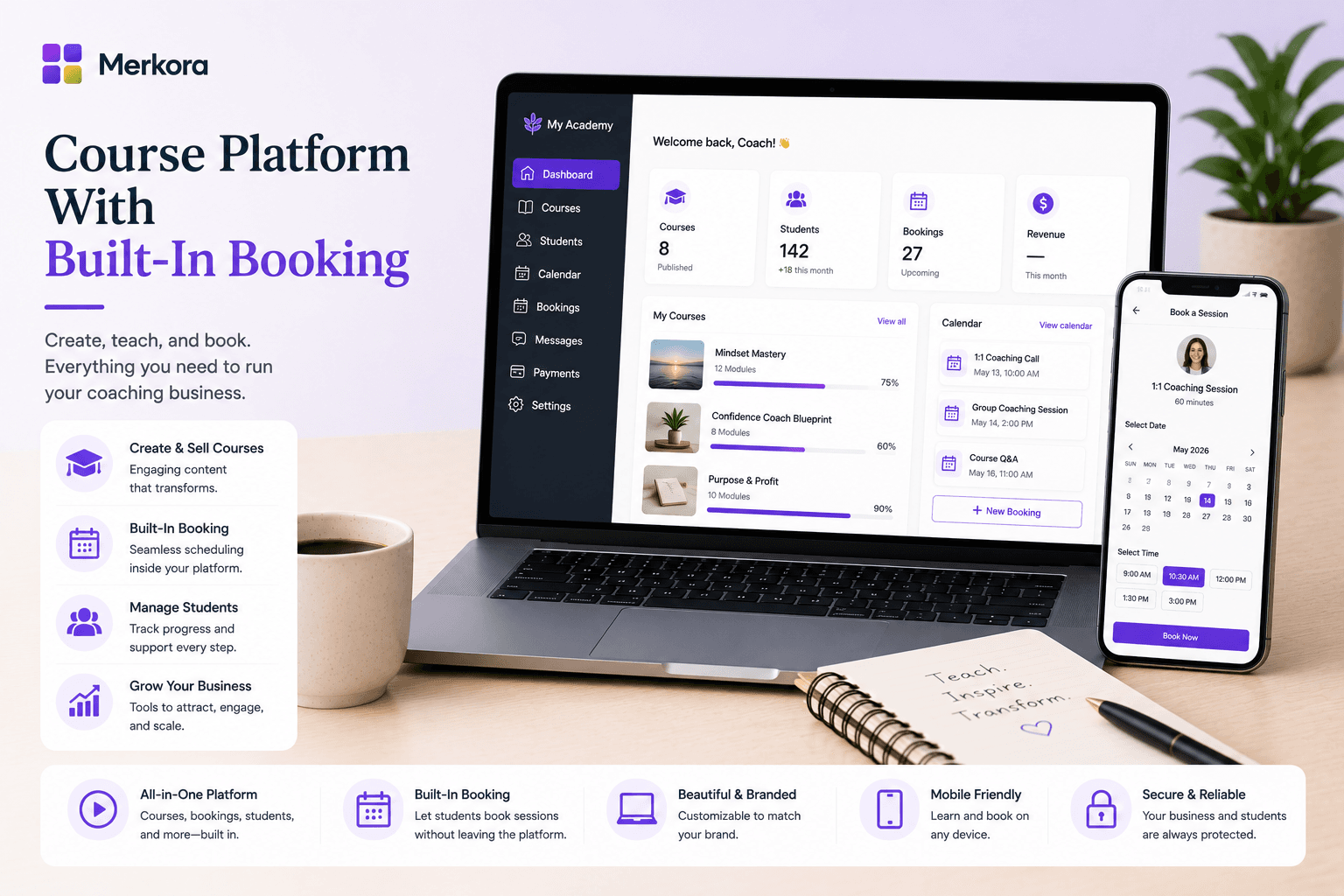
- Merkora is purpose-built for this. A single client-facing page, single checkout, unified client history.
In this article
A coach with a course on Teachable and sessions booked through Calendly has two separate client experiences stitched together with links and emails. Most clients don't notice — until they do. They click "book a session" from your course, land on a Calendly page with a different visual identity, and the trust built by your course starts leaking.
The platform split also creates operational drag for the practitioner: two sets of client data, two payment systems, two notification streams, two places to check when someone asks "did that client pay for their session?"
This post is about why the split happens, what it costs, and what alternatives exist.
Why courses and booking end up on separate platforms
Course platforms were built for content creators. The assumption is: you make a course, you sell it, the transaction is done. There's no ongoing relationship to manage, no schedule to coordinate, no cancellation policy to enforce.
Booking tools were built for service businesses. The assumption is: you have a schedule, clients pick a slot, they show up. There's no content to host, no progress to track, no course library to maintain.
Neither was built for the practitioner who does both — which is an increasingly common model for coaches and therapists who want to serve clients at different price points and commitment levels.
What the client actually experiences
When courses and booking are on separate platforms, a typical client journey looks like:
- Finds your course on Teachable, purchases it
- Completes part of the course, wants to book a 1-on-1 session
- Clicks a link in your course materials to your Calendly
- Lands on a different interface, re-enters their details
- Pays separately through a different payment flow
- Receives a confirmation email from a different system
Each handoff is a point where a client can drop off. The cognitive load of switching contexts — different visual identity, different login, different payment flow — creates friction that doesn't need to exist.
What the practitioner experiences
On the operations side, the split means:
- Two dashboards to check for client activity
- Two payment records to reconcile
- No single view of "what has this client purchased and attended"
- Manual work to connect course progress to session notes
- Two sets of subscriptions to pay for
For a practitioner with 20–30 active clients, this is manageable. At 50+ it becomes a real administrative burden.
Platforms that try to bridge the gap
Kajabi has both a course builder and a "Coaching" product type. The integration is improving but the booking side is still basic — no cancellation enforcement, no session credit system. And at $149–$399/month, it's a significant commitment before you've validated the combined offer.
Paperbell is a coaching-specific platform that handles sessions and packages well, with some basic digital product delivery. It's not a full course platform — you can attach files and materials to sessions, but not build structured video courses with modules and progress tracking.
Podia has courses and some coaching features, but the session booking side is limited and not designed for the practitioner workflow.
Merkora's approach
Merkora is built on the premise that courses and sessions are part of the same practice, not separate product lines. Clients see both on your public profile. They can purchase a course and book a session from the same page. Payment flows through the same system. Their history — courses enrolled in, sessions attended — lives in one place.
The session side handles what most course platforms don't: cancellation policy enforcement, session credit packages, attendance tracking, and client history. The course side handles what most booking tools don't: video lessons, modules, progress tracking, and certificates.
If your practice offers both formats — and most do — this is the gap Merkora fills. Start free and set up both a course and a bookable session to see how the combined experience feels for your clients.
For a broader comparison of course platforms, see Best Platform for Selling Online Courses.
Frequently asked questions
Is there a course platform that also handles session booking?
Yes — Merkora handles both. Most popular course platforms (Teachable, Thinkific, Podia) handle courses but not session booking. Kajabi has a basic coaching product type. Merkora is built from the start for the courses + sessions combination.
Why do coaches use separate platforms for courses and sessions?
Because no single tool historically handled both well. The typical stack is Teachable for courses and Calendly or Acuity for sessions. The split creates operational overhead and client friction, but it was the best available option for a long time.
Can clients buy a course and book a session in the same flow?
On most platforms, no — the course checkout and session booking are separate transactions on separate pages. On Merkora, yes — both are on the practitioner's practice page, with a single payment system.
How do I consolidate my courses and sessions onto one platform?
Start by identifying which platform will be primary. If you're moving to Merkora: export your course content from your current platform, re-upload as a Merkora course, set up your session types, and point your links to your Merkora practice page. The full migration takes one to two days.