Key Takeaways
- "Scheduling software with payments" covers two very different things: a checkout link bolted onto a booking, and a system where payment status is part of the booking itself.
- Only the second kind can hold a slot until payment clears, charge a cancellation fee automatically, or track how many sessions are left in a package.
- Payment at booking is the single biggest lever on no-shows — but only if the payment is required to complete the booking, not offered alongside it.
- Ask any platform how it handles a package of five sessions. If the answer involves a spreadsheet or a manual note, payments are cosmetic.
- Transaction fees matter less than what happens in the awkward cases: a refund, a late cancellation, a card that declines two days before the session.
In this article
A client books a Thursday slot at 9pm on a Sunday night. You get the notification, and then you wait — the money doesn't arrive until they turn up, or until you remember to send an invoice on Friday. Somewhere in that gap, a predictable share of them quietly disappears.
Scheduling software with payments is supposed to close that gap. Most of it half-closes it: you can attach a checkout link to a booking confirmation, and that's where the integration stops. The booking doesn't know whether the link was ever clicked.
What does "scheduling software with payments" actually mean?
It means two different things depending on the product, and the difference decides whether the feature is useful. In the weak version, the tool can generate a payment request connected to an appointment. In the strong version, payment status is part of the booking record itself.
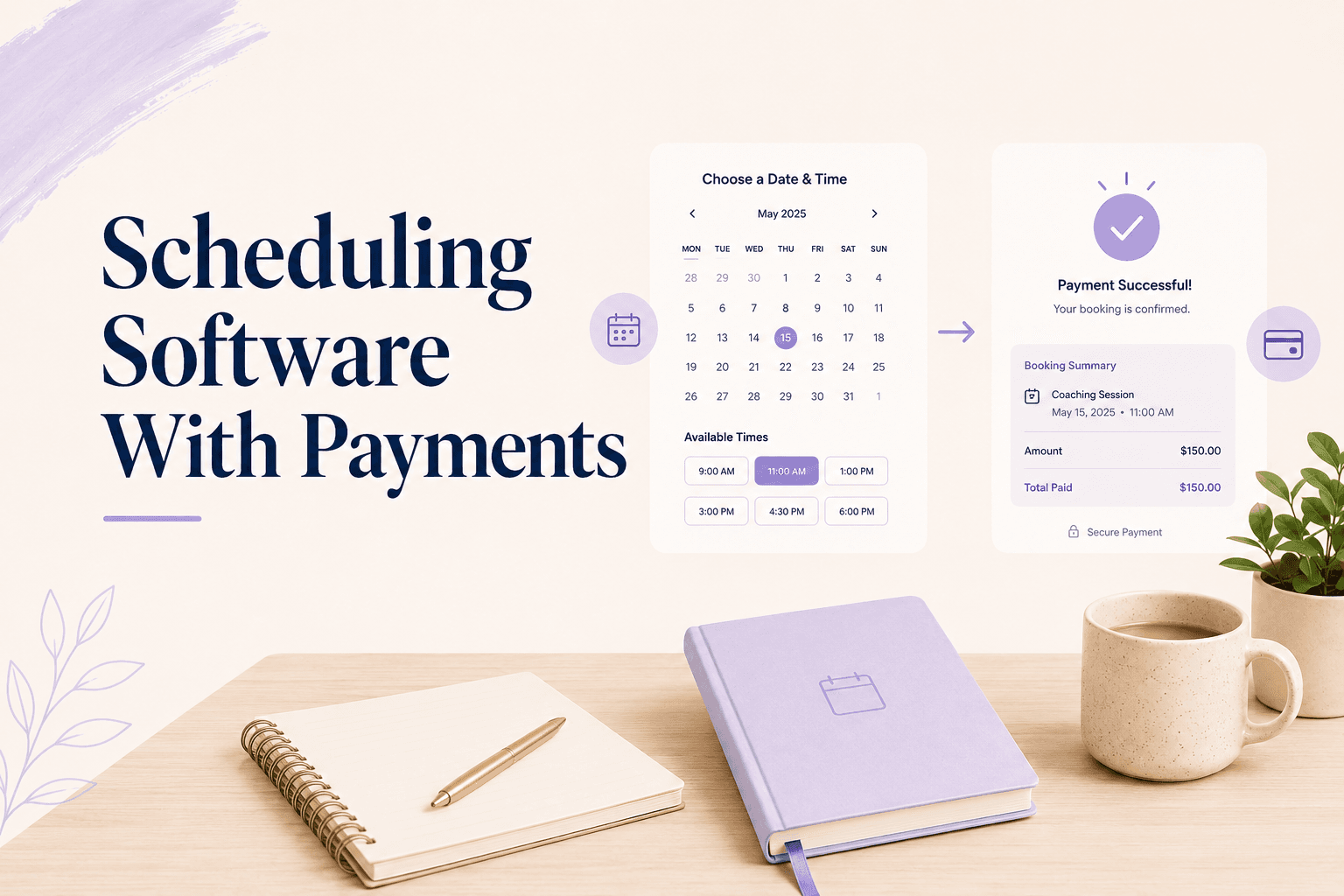
The test is simple: can the system refuse to confirm a booking until the payment clears? If it can, payment is a real part of the workflow. If the booking is confirmed either way and the invoice is a separate object, you still have two systems — they just happen to live under one login.
Three levels show up in practice, and platforms rarely label which one they are:
| Level | What it does | What it can't do |
|---|---|---|
| Invoice after | Generates a payment request post-booking | Prevent unpaid bookings |
| Checkout at booking | Takes payment as part of the flow | Charge later — fees, balances, renewals |
| Payment as booking state | Holds the slot, stores the method, tracks balances | Little — this is the working version |
Most tools marketed as "scheduling software with payments" sit in the middle row. That's a genuine improvement over invoicing, and it's where most practitioners stop looking — right before the features that would save them the most time.
Why does a checkout link break down for practitioners?
Because a link has no memory. It doesn't know which session it belongs to, whether that session already happened, or whether the client has three more sessions left in a package they bought last month.
That gap shows up in small, recurring ways. You reconcile a Stripe payout against a calendar. You check a spreadsheet before a session to see whether someone is paid up. You remember, or don't, that a client owes you for a session two weeks ago. None of it is difficult — it's just constant, and it scales linearly with your client list.
This is the same structural issue behind running a practice across multiple tools — nothing is broken, but nothing knows about anything else.
What payment features does a practice actually need?
Fewer than most platforms advertise, but the ones that matter are specific:
- Payment required to confirm a booking — not an optional step afterwards
- Stored payment method, so a later fee or a second session doesn't need a new checkout
- Deposits and partial payments for higher-priced sessions
- Multi-session packages with a visible balance of remaining sessions
- Automatic application of your cancellation policy
- Refunds issued from the same screen where the booking lives
- A per-client history that shows sessions and payments in one timeline
Notice what isn't on the list: invoicing templates, multi-currency accounting, expense tracking. Those belong to your bookkeeping, not your booking system.
The deposit question deserves its own answer, because it's the one practitioners agonise over. For sessions under roughly $150, charge the full amount — the admin of collecting a balance costs more than the flexibility is worth. Above that, or for packages, a 20–50% deposit captures most of the commitment effect without the full sticker price at the moment of decision.
What matters more than the percentage is whether the remainder is collected automatically. A deposit system that requires you to chase the balance the day before the session has moved your admin, not removed it.
How do packages and credits change the payment model?
Packages break the one-payment-one-booking assumption that most scheduling tools are built on. A client pays once for six sessions and then books them across three months, which means the system has to track a balance rather than a transaction.
Most tools handle this by not handling it — you sell the package outside the booking system and manually track what's left. That works until you have fifteen clients on packages and someone books a seventh session you didn't notice.
Pro tip
Platforms with native session packages and credits turn this into an accounting fact rather than a memory exercise, and they make it easy to sell packages instead of single sessions in the first place.
What about refunds, no-show fees, and failed charges?
This is where scheduling software with payments either earns its place or quietly hands the work back to you. The happy path — client books, client pays, client shows up — is handled by every tool on the market. The edge cases are what you'll spend your time on.
Three questions worth asking before you commit:
- If a client cancels four hours before a session, what happens without you doing anything?
- If a card declines on a recurring package, who gets notified and when?
- If you refund a session, does the credit go back to the package or to their card?
The second question costs more money than people expect. A client on a six-month program whose card expires generates a failed charge, and if nothing chases it, you find out in month eight while reconciling. Dunning — the automatic retry-and-notify sequence after a failed payment — is standard in subscription billing and absent from most booking tools.
The first question is the one most platforms fail outright. A cancellation policy that lives in your terms page is text; a policy the system applies on its own is enforcement, and the gap between the two is where most no-show revenue goes missing. If you want the fee applied consistently without having to be the one who applies it, look for automatic no-show fee handling rather than a policy field.
How to evaluate a tool in ten minutes
You don't need a trial period to tell the difference. Sign up, and run these four checks in order:
- Create a paid session type. Can you make payment mandatory to confirm?
- Book it as a client. Does the booking exist before the payment clears?
- Set a 24-hour cancellation policy with a fee. Is there an automatic charge, or only a notice?
- Open a client's record. Do sessions and payments appear in one list?
Then check the money side once. Find the total cost at your real volume — the subscription, plus the processor's percentage, plus any platform fee taken on top. A tool at $19/month with a 7% platform fee costs $159/month at $2,000 in monthly bookings, which is a different product than the pricing page suggested.
Any tool that fails checks two and three will work fine and cost you a few hundred dollars a month in leakage you never see on a dashboard. It's worth comparing this against booking software built for private practice rather than general-purpose scheduling tools, which were designed for meetings rather than paid appointments.
Coaching software and therapist software that treats payment as part of the booking — not as a link attached to it — removes the reconciliation work entirely. Merkora was built that way: the slot, the charge, the package balance, and the cancellation fee are one record, not four.
Frequently asked questions
What is scheduling software with payments?
It's a booking system that collects money as part of the booking, rather than sending an invoice afterwards. The strong versions treat payment as a condition of the booking — the slot isn't confirmed until the charge succeeds.
Should I charge the full session fee at booking or take a deposit?
For sessions under about $150, charge the full amount — it's simpler and it removes the follow-up entirely. For higher-priced sessions or packages, a 20–50% deposit gets most of the commitment effect without the sticker shock at checkout.
Does taking payment upfront reduce the number of bookings?
It reduces the number of low-intent bookings, which is the point. Practitioners who switch to payment-at-booking typically see slightly fewer bookings and noticeably higher attendance, so revenue per week goes up rather than down.
Can scheduling software charge a client automatically after a no-show?
Very few can. Most display a policy and leave the charging to you. A system that stores the payment method at booking and applies your policy window automatically is what makes enforcement consistent instead of case-by-case.